NSX-v Security Policy Applied To Considerations

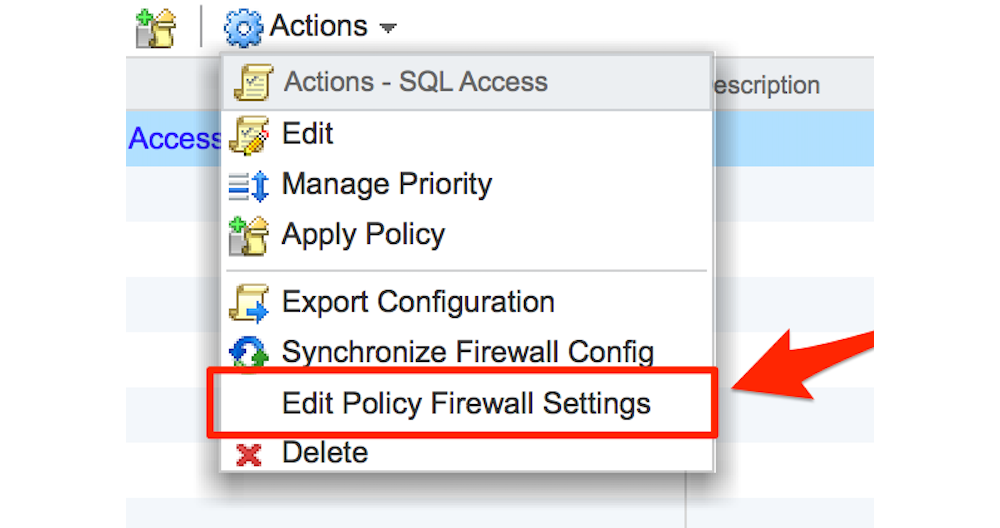
When working with the Service Composer in NSX-v, by default, when a firewall rule is created in a Security Policy, the firewall rule, when applied, uses the default Applied To value of Distributed Firewall. This means that even though the firewall rule is part of a security policy which is then applied to a specific security group, the rule would be pushed down to every vNIC within the clusters that have been prepared for NSX DFW capabilities and have the firewall enabled. ...
September 7, 2015 · 9 min

NSX-v 6.2 What's New: IP Discovery

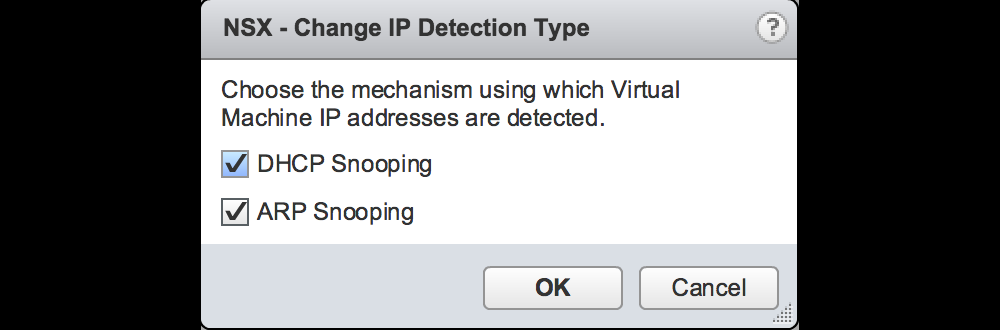
One of the new features in NSX vSphere 6.2 is the introduction of new IP discovery mechanisms. The official release notes mentions this as follows: New IP address discovery mechanisms for VMs: Authoritative enforcement of security policies based on VM names or other vCenter-based attributes requires that NSX know the IP address of the VM. In NSX 6.1 and earlier, IP address discovery for each VM relied on the presence of VMware Tools (vmtools) on that VM or the manual authorization of the IP address for that VM. NSX 6.2 introduces the option to discover the VM’s IP address using DHCP snooping or ARP snooping. These new discovery mechanisms enable NSX to enforce IP address-based security rules on VMs that do not have VMware Tools installed. ...

August 28, 2015 · 7 min

NSX-v 6.2 Whats New: Communication Channel Health

NSX-v 6.2 was released last week (Release Notes) and one of the features mentioned in the release notes is the Communication Channel Health feature. Show health of the communication channels: NSX 6.2.0 adds the ability to monitor communication channel health. The channel health status between NSX Manager and the firewall agent, between NSX Manager and the control plane agent, and between host and the NSX Controller can be seen from the NSX Manager UI. In addition, this feature detects when configuration messages from the NSX Manager have been lost before being applied to a host, and it instructs the host to reload its NSX configuration when such message failures occur. ...

August 27, 2015 · 1 min

NSX-v Unable to install VIBs: Blame VUM

When working with a customer recently to install NSX-v into a lab environment, we were faced with hosts which would fail when we went through the Host Preparation steps to install the NSX VIBs. As it turns out, it wasn’t the usual problems of incorrect DNS or a firewall causing issues but rather vSphere Update Manager (VUM) which was causing the issue. So from what I can deduce, it seems that when you Click the install button to prepare a cluster, EAM is used to install a VIB onto the ESXi hosts within that cluster, an agency is created within EAM for that specific cluster and within the cluster specific agency the following config option is set by default. ...

August 27, 2015 · 3 min

NSX-v 6.x: Operations and Troubleshooting Guides

Operating and troubleshooting a NSX-v environment can sometimes be a daunting task, especially if the customer had the environment setup by an external party (ie. VMware PSO or a VMware Partner). And so over the past few weeks, VMware have released 2 pieces of collateral which I am finding answer a lot of questions that I am normally asked by customers. The first is the NSX-v Operations Guide, v6.1 (https://communities.vmware.com/docs/DOC-30079) that is posted on the VMware Communities site. At a high level, this document touches on the following topics: ...

August 26, 2015 · 1 min

Scripting: NSX-v – Bulk DFW Rule Creation

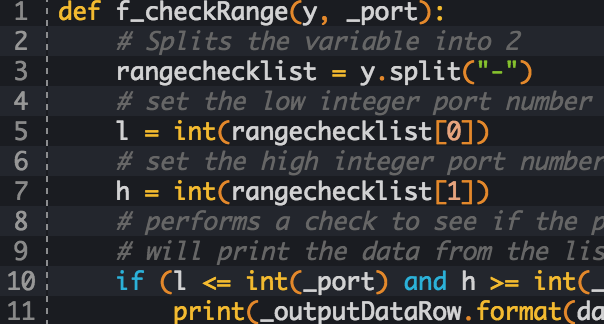
Recently when doing some performance testing with a customer, we wanted to have the ability to bulk create a number of DFW rules. By leveraging some python scripting and the NSX-v API, I came up with a flexible and re-useable script which can be used to create a new section and populate it with up to 997 DFW rules. The reason for creating a new section is so that when it comes time to delete the test rules, its as simple as just deleting the section, which will delete all rules within the section. ...

August 26, 2015 · 6 min

OSX Base64 Encoded Credentials

For those who have used the NSX vSphere REST API, you will know that with every API call you are required to send the following in the headers: Content-Type application/xml Basic <base64 encoded credentials> So if you have an OSX machine, you can leverage openssl (which is installed by default) to generate the base64 encoded credentials. This means you do not have to find a website and paste credentials into the site to generate the encoded credentials. ...

August 25, 2015 · 1 min

NSX-v Quick Tip – Changing Controller Passwords

Changing NSX-v controller passwords is a question which comes up quite a bit with customers. Often because the passwords chosen at deployment time are either too complex to type in on a VM console session, or on the other end of the spectrum, they were set to something easy to type during deployment, and now need to be changed. When deploying NSX-v controllers during the setup phase, the password is set when deploying the first controller. ...

August 4, 2015 · 2 min

NSX-v Quick Tip – ESG Enable Mode

When using the CLI of an Edge Services Gateway there are some commands that can only be run from privileged mode. This is similar in fashion to the Privileged EXEC mode in Cisco IOS devices, and also the commands to turn on and off privileged mode are identical. To turn on privileged mode on an ESG can be achieved with the following command: enable When it prompts you for the password, you enter the Admin password that you logged onto the CLI with. ...

July 29, 2015 · 1 min

NSX L2VPN with Standalone Edge

One of the features of NSX-v is the ability to create a Layer 2 VPN between 2 NSX-v Edge Services Gateways (ESG from now on). But what happens if there is no NSX-v at the destination where you would like to extend your Layer 2 network. As of NSX-v 6.1.0 the concept of a Standalone Edge L2 VPN Client has been made available to deploy into a remote vSphere environment. ...

July 14, 2015 · 17 min